Selasa, 19 Juli 2011

Differentiate between Analog and Digital Computers

The differences between analog and digital computers are as follows:


1
Analog Computers Work on continuous values. Digital computers Work on discrete values.

2
Analog Computers have low memory. Digital computers have a very large memory

3
Analog computers have Slow speed. Digital computers have fast speed.

4
Analog computers are less reliable. Digital computers are more reliable.

5
Analog computers used in engineering and science and medical fields. Digital computers are used in all fields of life.

6
Analog computers are used to calculate / measure analog quantities like speed and temperature. Digital computers are used to calculate mathematical and logical operations. It can solve addition, subtraction, division, multiplication and other mathematical and statistical operations.

7
Analog computers provide less accurate results. Digital computers provide 100% accurate results.
8 Normally Analog Computers are specific purpose Digital Computers are general purpose
9 Analog computers are difficult to use Digital computers are easy to use
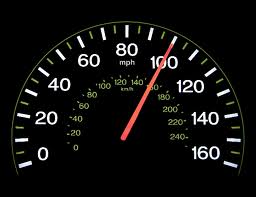
10 Examples of Analog computers are: thermometer, analog clock, speedometer etc. Examples of digital computers are:
Personal Computer, laptops, smart phones etc.

Sabtu, 16 Juli 2011

Uses Of Computer In Industry

Computers are used in industry in different types of systems. Computer-controlled robots are used to perform many complicated jobs in industry. Robots are computer controlled programmable machines. They can perform mechanical jobs, too, like pick and place different parts, welding or painting cars etc.
  •  Automated Production Systems
Today, computer-controlled robots are used to assemble cars. No doubt, these systems work faster than human beings. Another popular and efficient use for computer controlled robots is in the field of spray painting. The consistency and repeatability of a robot's motion have enabled near perfect quality painting while at the same time wasting no paint and leaving no place without paint.
   
Perhaps the most popular applications of robots are in industrial welding. The repeatability, uniformity quality, and speed of robotic welding is unmatched.
Computer controlled Robots can be found in the manufacturing industry, the military, space exploration, transportation, and medical applications.
  •   Design Systems
Computer programs are used to design the model of a product on the computer. This process is called Computer Aided Design or CAD. Due to CAD, we can test the designed product with the help of computer. When the design is completed successfully, the actual product is manufactured.

Kamis, 14 Juli 2011

Uses Of Computer in Medical Field

Today Computers are an essential part of an hospital. Doctors and administration staff uses computers to manage patient history and medicine stocks etc. Computers play a key role in the medical field.  Their uses include storing patient related data, housing knowledge bases, providing the logic and circuitry for medical equipment, scanning and imaging the body, and facilitating speedy communications. Computers can be used in medical field in the following ways:
  •   Hospital Administration
We can computerize the accounting, payroll and stock system of the hospital. We can keep the record of different medicines.
  •  Recording Medical History Of Patients
Computer can be used to store the medical history of the patients. Medical history is very important for patients as well as doctors. Doctors may better prescribe the medicines on the basis of the medicines used in past for a particular patient and the results obtained. Database Management System software is used to store Patient records efficiently. are stored on computer databases in the medical field.  The medical history of a patient includes physical symptoms, diagnoses, treatments, and even family medical history.  Details of the medications prescribed are stored together with details of any that can not be prescribed, such as an allergy to penicillin.  Appointments are scheduled using a computer database.  Billing information is also stored.  Hospitals and surgeries depend on computers for administrative and financial functions.
  •  Monitoring Systems
Many computerized devices are used to monitor the blood pressure, heartbeat and brain of the patients. Computers guide in some surgical operations, too. For example in laparoscopic surgery, the surgeon inserts the medical tools and a small camera, and conducts the operation with the help of computers and monitors.  Computers also monitor heart rates, pulse rates and brain readings. Therefore, we conclude that computers make this possible to deal with such complicated operations. It would be virtually impossible for a human to do this.
  •  Diagnosis of Diseases
Computers are being used to diagnose diseases with the help of software. There are some Medical Software to diagnose diseases and prescribe medicine on the basis of symptoms.
  • Life Support system
Life support systems are used to help disabled persons, for example hearing aid device for deaf people. Latest life support devices use computer technology to help the disable people, to overcome their disabilities.
  •   Faster and Cheaper Communications
Doctors and other staff can use internet to communicate to doctors in other parts of the world, for sharing information on medical topics or even about a particular patient case. They can exchange pictures, reports and other documents, too.
  •  Clinical Image Processing
Computers are being used in Medical Radiology / Diagnostic Imaging. Computers play an role in all types of clinical image processing like CT scan and ultrasound. Ultrasound uses sound waves that bounce off body parts, producing echoes. A computer translates the echoes into images, showing broken bones, muscle problems, or changes in organs, accurately.

Senin, 11 Juli 2011

New Features of Kaspersky Internet Security 2011

The risk of a computer to be attacked by viruses is very high. When we are using the internet connection, those viruses can suddenly come and hide in our system. We cannot see it, but we just can feel it. This is why antivirus is important. Kaspersky Internet Security 2011 is a good protection.

It has many benefits that we can get from this antivirus. The features in this version have been updated, so it is better in giving protection. It can protect the digital identity we have. For the parents, it is much recommended! Why? It is because it has a feature of parental control. By using this feature, we can limit the kinds of website that can be visited by our children. So, they cannot see the porn pictures and videos in it. The online security is also been improved. It means we will get the more protection when we are using the internet connection from Kaspersky Internet Security 2011.

That information is the fact about this antivirus. If you want to try it, you can just install it for your PC. You can see the complete information of this version and others or even buy it in the internet. Kaspersky Internet Security 2011 will protect your PC.

Kamis, 07 Juli 2011

Antivirus Kaspersky for Blackberry Phones

tags: kapersky, kapersky antivirus, kapersky antivirus for blackberry, antivirus for blackberry, download antivirus for blackberry, antivirus for blackberry free, antivirus blackberry download

The brand has been synonymous with business mobile computing so that the security of the users’ data is a great concern for the devices. Fortunately, there are many computing protection manufacturers that produce antivirus for Blackberry phones. One of them is Kaspersky, who has been in the trade for so long time. The antivirus for Blackberry phones provided by Kaspersky can run on all range of mobile devices produced by the Canadian manufacturer, from the simples Gemini to the most sophisticated Torch. The latest generation of the product is numbered 9.0.


The capabilities of this program had been internationally acknowledged in offering real time protection, continuous scanning and deletion. The latest version is capable of supporting the cloud computing system. However, when installing the program into the device, a user has to be patient because the process can be very long due to the strict checking and re-checking steps set by the manufacturer.


This antivirus for Blackberry phones can give protection from spam that comes through calls and SMS. The Anti-Theft folder protects the information on the device when it is accessed by unauthorized access and also locks the device when the device is turned on without a SIM card. This program can be downloaded from


Download Antivirus Kaspersky


Uses Of Computer In Education Field

Computer can be used in education in the following ways:
  •  Computers In Teaching and Learning Process ( Computer Aided Learning - CAL )
Computers are being used actively in educational institutes to improve the learning process. Teachers can use audio video aids through computer to prepare lesson plans. They can use Microsoft Power Point to prepare electronic presentations about their lectures. These electronic presentations will be displayed on multimedia projectors in class rooms. This will be interesting and easy to learn for students. Multimedia presentations are easy to deliver for teachers too. Computers will be helpful for:
                    
  1.   Instructing the students using PowerPoint slides, Word documents or Web pages and using hyperlinks for better concept clarity.
     2.  Helps in improving pronunciation of students by using microphones, headphones, speakers, specially 
          prepared software and special dedicated websites.
  
     3. Encouraging the students to use internet, surf web pages and gather relevant detailed information
         through search engines.

  •  CBT (Computer-Based Training)
CBT stands for Computer Based Training. In CBT, we prepare different educational programs with the help of professional teachers and audio visual aids. These educational programs are generally in the shape of lectures on a specific subject. These programs are provided on CDs.
 
  •  Online Education   
Many web sites provide online education. You can read or download educational material and books. For example, Virtual University of Pakistan is an Online Educational Institution. Students use internet to access VU website. The students log in to their accounts and e-mail boxes. They interact with different teachers online. They receive and submit their assignments and work through internet to their teachers.
  •  Research
Computers are also used for research work. Internet is a huge source of information on any topic. Different researchers can share their research work using Internet.
  • Institute Administration
Computers are being used to perform many tasks in educational institutions, easily and quickly:
          o Keeping Records of students
          o Storing Records of employees of school / college
          o Managing Accounts of the institution
          o Fees collection and maintenance of fees record.
          o Circulation of instruction/notices and getting it in printed form
          o Preparation of school/ college magazine, etc.

Senin, 04 Juli 2011

Uses Of Computer in Business Organizations

Now-a-days, computers are the essential part of any business organization. Computers are used in business companies for performing different tasks like Record Maintaining, Stock management, Pay Roll Systems, Business Correspondence and Business Communication etc,  Computer can be used in business in the following ways:


  •   Marketing   
Any business organization can use computers for marketing their products.
  •   Stock Exchange
Many stock exchanges are using computers for conducting bids. Stock brokers are using computers to perform all business functions in stock exchange.
  •    Banks
These days, banks are incomplete without computers. Banks are using computers to record Daily Customer Transactions. Every bank is using a customized software like Accounts Maintenance System. Accounts Maintenance System manages all customer financial dealing records through bank. The use of computers in banks has provided many benefits. It saves a lot of time and provides convenience for the customer.
  •   Email
E-Mail stands for Electronic Mail. By E-Mail, you can send and receive messages. You can also attach files of different types with email message. No doubt, E-Mail is a faster and cheaper way of communication.
  •     Payroll system
Computerized pay roll system is used in different organizations to maintain pay accounts of employees, easily and quickly.
  •    Stock system
Computerized stock system is used to record number of items in stock of any organization efficiently.
  •    Fax
Computers can be used to send and receive faxes. Different Fax Software are available in market for this purpose.


  •   Documentation
Word processor software like MS Word is used to prepare different types of documents like letters, applications and other documents.
  •   Graphics
Graphics software like Adobe Photoshop or Corel Draw are used for image editing and preparing posters and cards etc.


  •   Presentation
Power point can be used to prepare good looking computerized presentations for business.
  •    Spreadsheet


Spreadsheet software like Excel can be used to prepare computerized worksheets and carts. 
  •    Accounts department
Accounts department can use Accounting software like LedgerSMB, BizCorei and Microsoft Excel to prepare different accounting documents like balance sheet, Trial balance, Ledger and bank reconciliation etc.